
Starting an OnlyFans account can be a powerful way to monetize digital content, but many beginners underestimate how much planning and structure is required to succeed. While creating an account takes only a few minutes, building one that earns consistently requires thoughtful decisions around branding, niche selection, content quality, pricing, promotion, engagement, and privacy.
This guide is written for complete beginners who want clear, practical, and realistic instructions. It explains not just what to do, but why each step matters, so you avoid common mistakes and start with a solid foundation.
Quick Answer: How Do You Start an OnlyFans Account?
To start an OnlyFans account, you register using an email address, complete identity verification with a government-issued ID, set up a professional profile (username, bio, profile image), choose a clear content niche, upload high-quality starter content, decide on a pricing and monetization strategy, and promote your subscription link on external platforms such as Twitter/X, Reddit, or TikTok. Long-term success depends on consistent posting, regular fan engagement, smart use of pay-per-view (PPV) content, and maintaining your desired level of privacy.
Step 1: Sign Up and Create Your Account
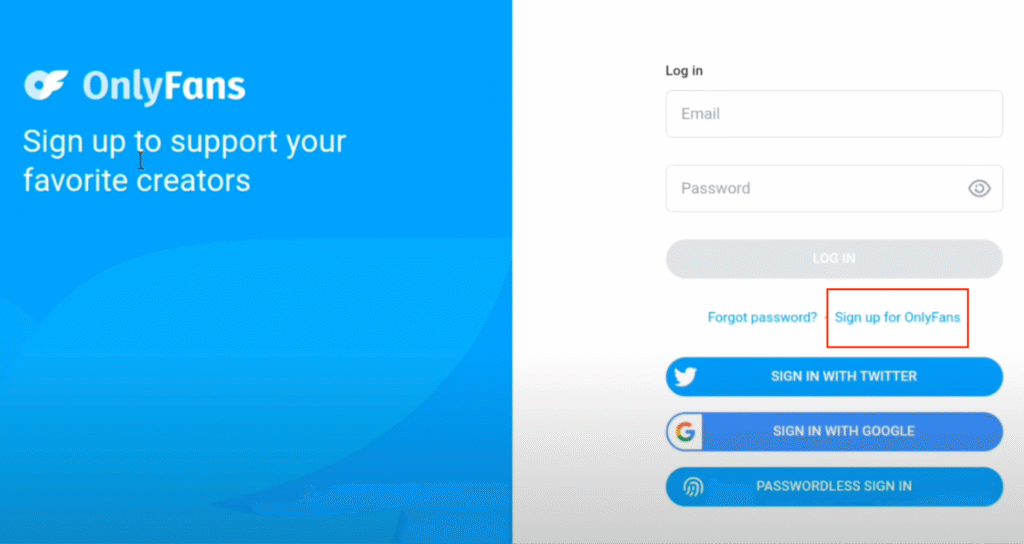
The first step is registering on the OnlyFans website.
You will need:
- A valid email address
- A strong, unique password
It is strongly recommended to use a dedicated email address rather than a personal one. This keeps your creator activity separate from your private life and makes account management easier.
Once you register, OnlyFans will send a confirmation email. You must verify your email address before continuing.
Why this step matters:
Using a separate email and secure password protects your privacy and reduces the risk of account issues later.
Step 2: Complete Identity Verification
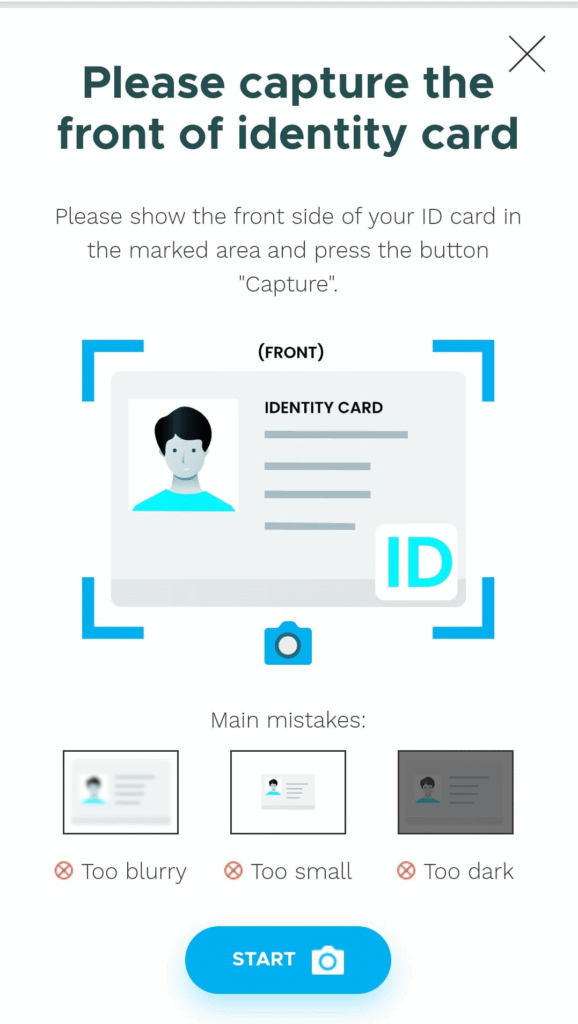
Identity verification is mandatory for all creators. OnlyFans uses this process to ensure legal compliance and age verification.
You will typically need:
- A government-issued ID (passport or driver’s license)
- A clear selfie or live photo
Tips for faster approval:
- Use good lighting
- Avoid blurry or cropped images
- Ensure your name and date of birth match your ID exactly
Verification usually takes 24–48 hours, though some accounts are approved sooner.
Important note:
Even if you plan to be anonymous or faceless, OnlyFans will still know your real identity. This information is private and not visible to subscribers.
Step 3: Set Up Your Profile Correctly
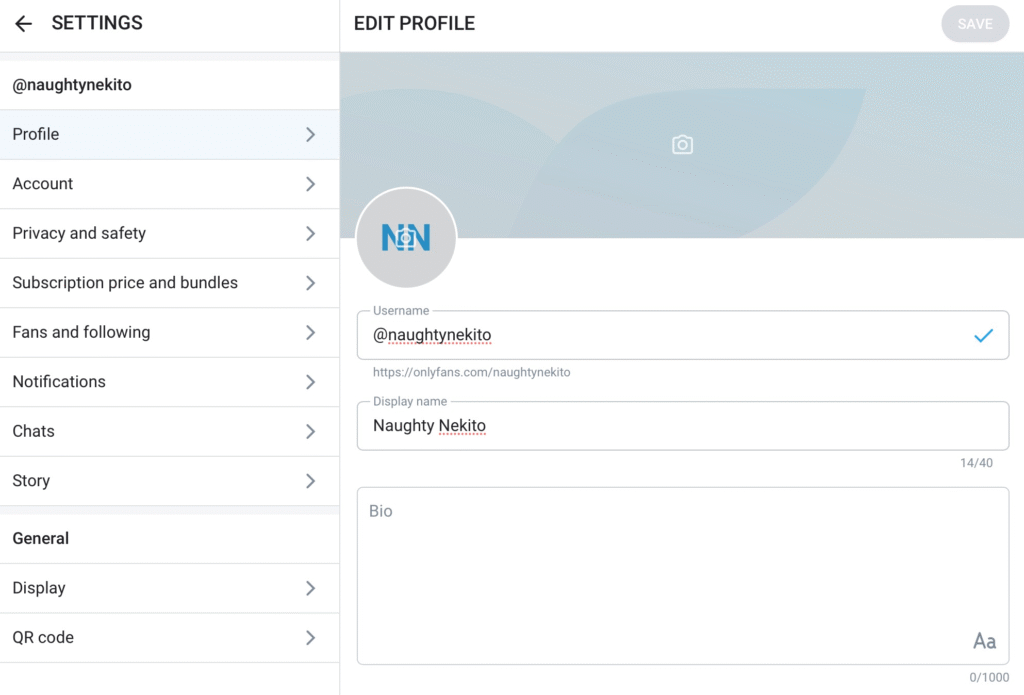
Your profile is not just informational—it is a sales page. Most visitors decide whether to subscribe in seconds.
Key profile elements include:
Username
Choose something:
- Easy to remember
- Relevant to your niche
- Consistent with your social media handles (if possible)
Avoid overly complicated names or random numbers.
Profile Picture
Use a clear, high-quality image that reflects your brand. If you plan to be faceless, choose an image that still communicates your niche (for example, body-focused shots, themed visuals, or branded graphics).
Bio
Your bio should clearly explain:
- What type of content you offer
- How often you post
- What makes your page worth subscribing to
Avoid vague descriptions. Specific value converts better than mystery.
Step 4: Choose Your Content Niche and Boundaries
Before uploading content, you must decide what your account is about.
A niche is the specific category or theme of content you consistently produce. Examples include:
- Fitness and wellness
- Art, music, or tutorials
- Lifestyle or daily vlogs
- ASMR
- Adult or fetish-based content
- Faceless or anonymous content styles
You should also define clear boundaries, including:
- What content you will create
- What content you will never create
- Whether you accept custom requests
Why this matters:
Accounts without a clear niche struggle to attract and retain subscribers. Niches create clarity, loyalty, and higher conversion rates.
Step 5: Create High-Quality Content in Advance
One of the biggest beginner mistakes is promoting an empty or nearly empty account.
Before you promote, prepare:
- 10–20 pieces of content (photos or videos)
- Several feed posts
- At least one pinned or featured post
Quality matters more than quantity. Focus on:
- Good lighting
- Clear visuals
- Simple editing (brightness, cropping, trimming)
Your account should feel active and intentional the moment someone visits.
Step 6: Decide on Pricing and Monetization
Pricing affects how your account is perceived and how much you earn.
Subscription Pricing
Most beginners start with a lower subscription price (commonly in the $5–$10 range) to reduce friction for new subscribers. You can increase pricing later as your content library grows.
Free vs Paid Accounts
- Paid accounts work well with targeted traffic and premium positioning.
- Free accounts rely heavily on PPV messages and high-volume promotion.
Many creators eventually use both as part of a funnel strategy.
Pay-Per-View (PPV)
PPV allows you to sell exclusive content directly through messages. For many creators, PPV becomes the main income source rather than subscriptions.
Key takeaway:
Subscriptions get people in the door. Monetization happens after.
Step 7: Upload Starter Content and Pin a Post
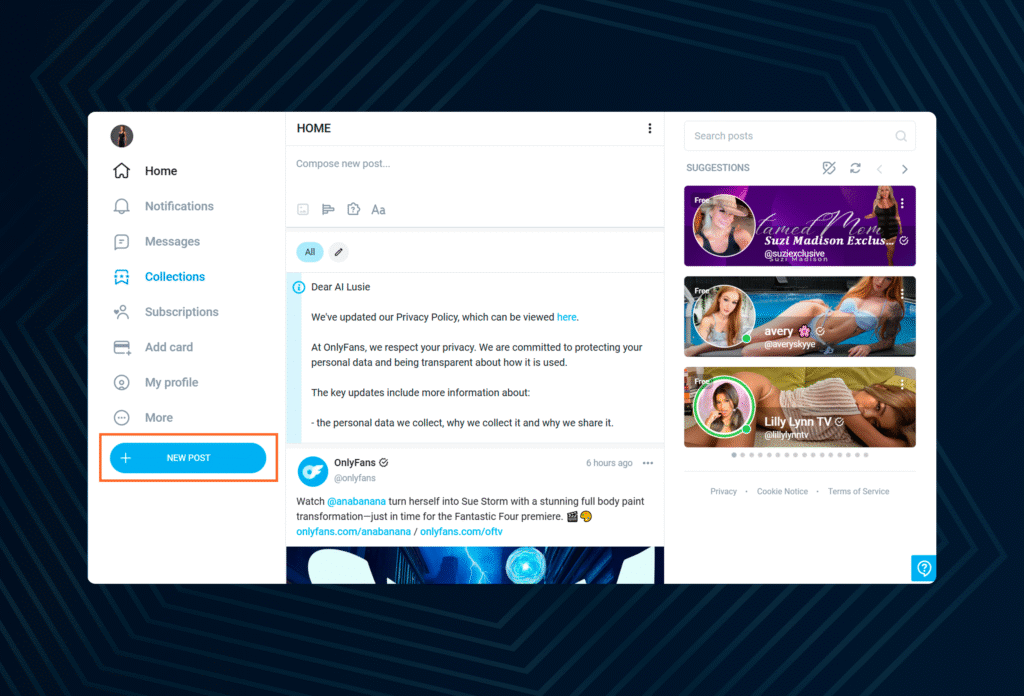
Before sending traffic to your page:
- Upload multiple feed posts
- Pin a welcome or teaser post to the top of your profile
A pinned post might include:
- An introduction
- A preview of premium content
- A limited-time offer or discount
First impressions heavily influence conversion rates.
Step 8: Promote Your OnlyFans Account
OnlyFans does not provide built-in discovery. Promotion is essential.
Popular promotion platforms include:
- Twitter/X
- TikTok or other short-form platforms
- Collaborations with other creators
Promotion typically involves:
- Posting teaser content
- Engaging with niche communities
- Directing users to your subscription link
Start with one platform, learn what works, and expand later.
Step 9: Engage With Fans Consistently
Fan engagement is a major driver of retention and income.
Effective engagement includes:
- Welcome messages for new subscribers
- Responding to messages and comments
- Offering personalized interactions
- Sending occasional PPV messages
Subscribers who feel acknowledged are more likely to stay subscribed and spend more.
Step 10: Protect Your Privacy and Content
Privacy and safety should be considered from day one.
Best practices include:
- Using a stage name
- Keeping personal and creator accounts separate
- Avoiding identifiable backgrounds or personal details
- Watermarking your content
Leaks can happen, but proactive measures reduce risk and make enforcement easier.
Step 11: Track Performance and Improve Over Time
You do not need to be perfect on day one, but you do need to improve.
Pay attention to:
- Subscriber growth
- Retention and churn
- Which content performs best
- PPV conversion rates
Focus on improving one area at a time rather than changing everything at once.
Final Words
Starting an OnlyFans account is simple, but succeeding requires structure, patience, and consistency. Creators who treat their account like a business—by planning their niche, preparing content, pricing strategically, promoting intentionally, and protecting their privacy—are far more likely to achieve predictable results.
Avoid shortcuts. Build systems. Improve gradually. That is how sustainable growth happens.
Frequently Asked Questions
No. Many creators run successful faceless accounts by focusing on niche content such as fitness, feet, ASMR, or body-focused videos while maintaining anonymity.
Verification usually takes between 24 and 48 hours, though approval can be faster if all documents are clear and accurate.
Earnings vary widely. Some beginners earn small amounts initially, while others scale significantly with consistent promotion and strong monetization strategies.
OnlyFans is accessible in many countries, but payout options and regulations may vary depending on your location.
Sign up on OnlyFans with your email and a strong password, confirm your email, complete creator verification by uploading a government-issued ID and a clear selfie, then set up your profile with a memorable username, good profile photo/banner, and a bio that explains your niche and what subscribers get.
Next, upload a small batch of high-quality starter posts, choose your subscription price (and plan PPV/tips for extra income), connect your payout method, and start promoting your subscription link on platforms like Twitter/X, Reddit, or TikTok.
Finally, post consistently, engage with fans through messages, and adjust content and pricing based on what performs best.

Adhya P. (She/Her) is an Influencer Marketing Executive and content writer at CreatorPunch with over 3 years of experience in digital marketing and campaign management. A Delhi University graduate, she is passionate about influencer marketing, content strategy, and helping brands build authentic connections through creative storytelling.